Agent Builder overview
Explains what Agent Builder is, who it’s for and the value it provides.
Agent Builder enables you to create AI agents that answer questions, complete tasks and automate workflows using your organisation's knowledge.
Whether you're building an assistant for HR, Sales, IT or another business function, Agent Builder provides a simple way to create AI solutions without writing code.
Estimated time: 5-10 minutes
What you'll learn
By the end of this guide you'll understand:
What Agent Builder is
Who it's designed for
The key features available
How AI agents work
When to use Agent Builder
Where to go next
What is Agent Builder?
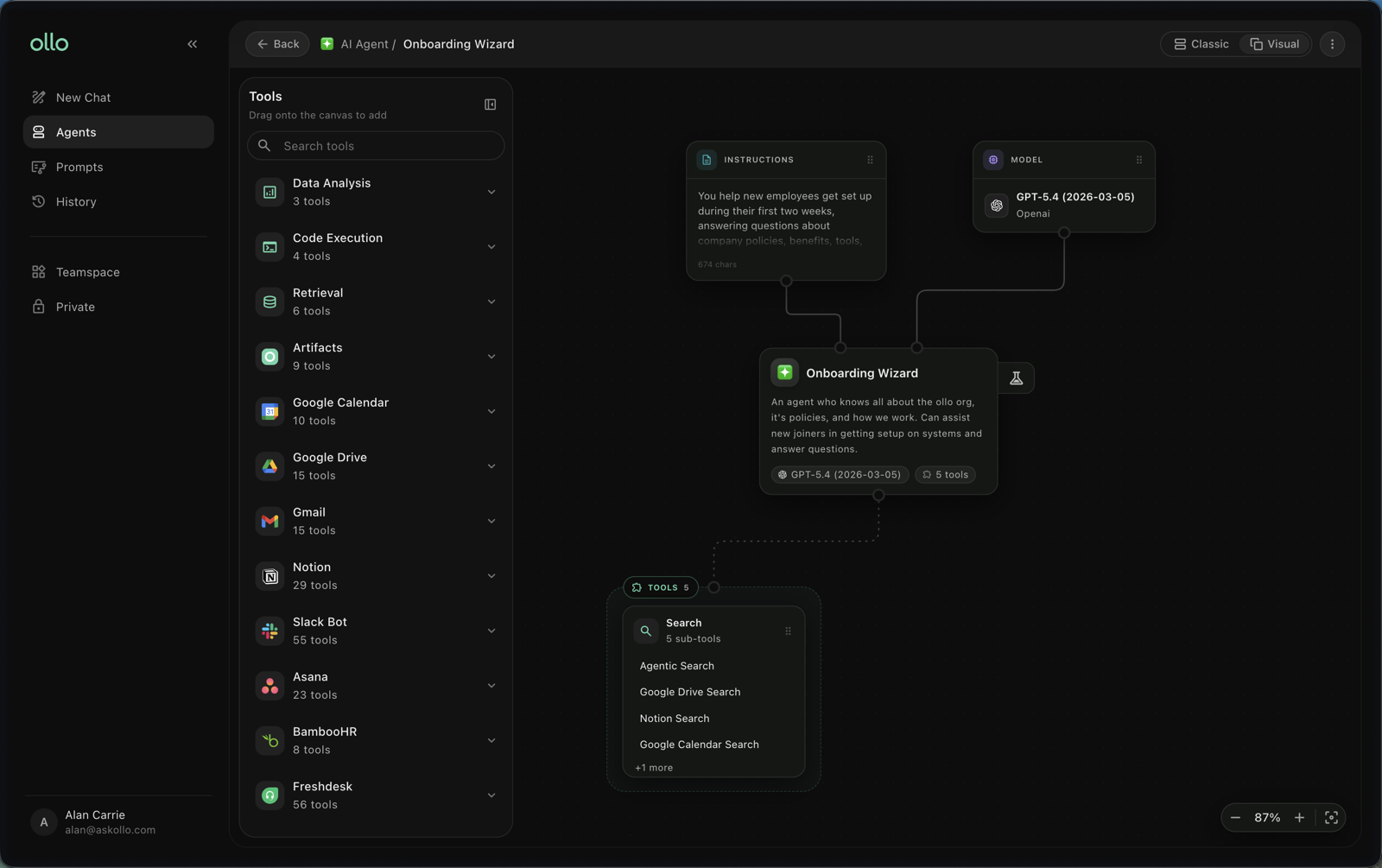
Agent Builder is Askollo's no-code environment for creating AI agents.
An AI agent is a customised assistant that can answer questions, follow instructions and perform specific tasks using your organisation's knowledge.
Instead of using a general-purpose AI assistant, you can build agents tailored to particular teams, processes or business needs.
Who is Agent Builder for?
Agent Builder is designed for anyone who wants to create AI assistants without needing technical expertise.
Typical users include:
Business teams
Operations
HR
IT
Sales
Customer Success
Marketing
Knowledge managers
Whether you're creating an internal support assistant or an agent that helps automate repetitive work, Agent Builder makes it easy to get started.
What can you build?
Agent Builder can be used to create agents for a wide range of use cases, including:
HR assistants
IT support agents
Policy and compliance assistants
Sales enablement agents
Customer support assistants
Internal knowledge assistants
Process automation
Team-specific AI assistants
The possibilities continue to grow as you connect more knowledge and refine your agents.
How Agent Builder works
Creating an AI agent follows a simple process. Note that the screenshots show the Visual agent builder; if you prefer a form-based setup you can switch to Classic view in the UI.
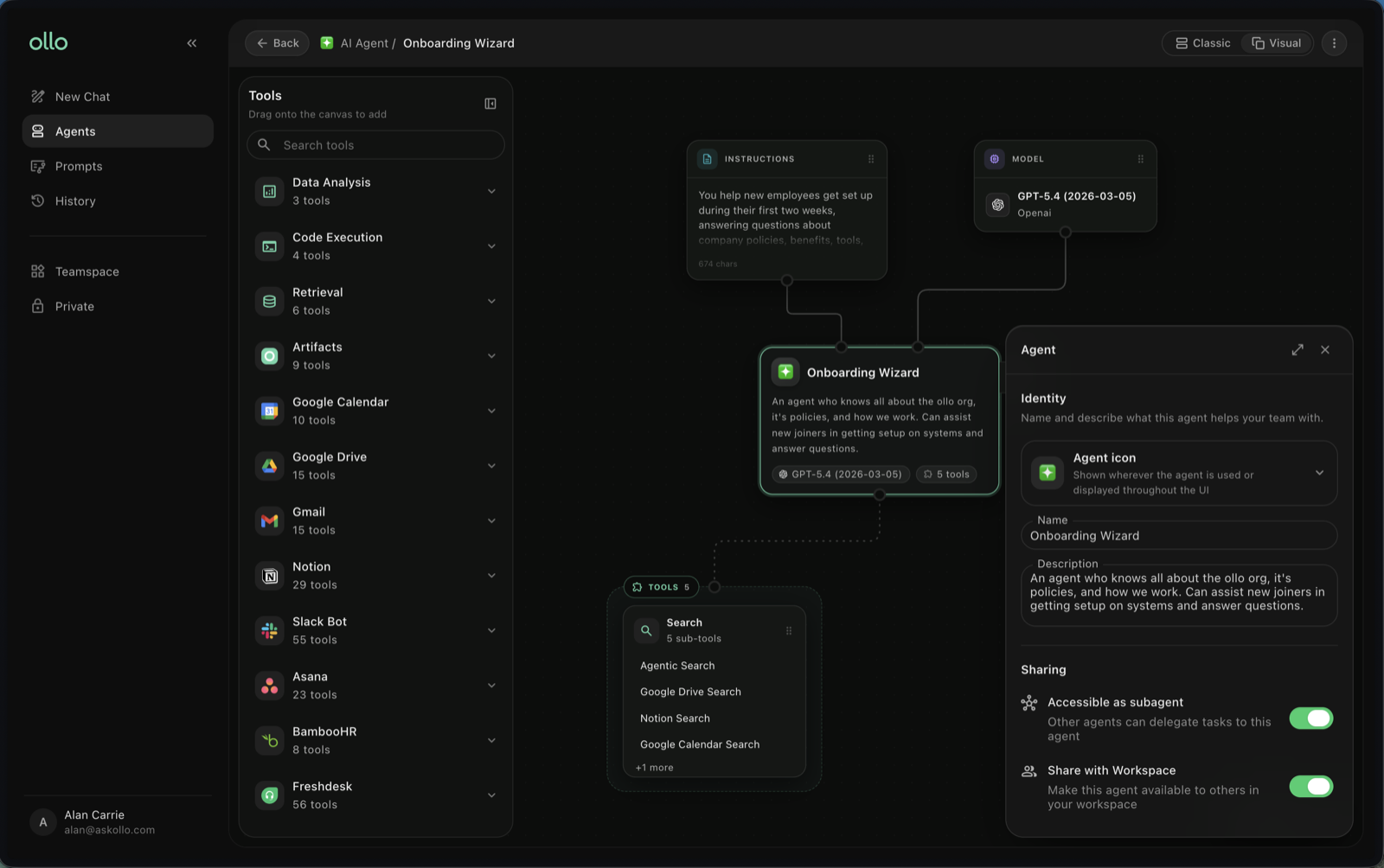
1. Create your agent
Give your agent a name and describe what it's designed to do.
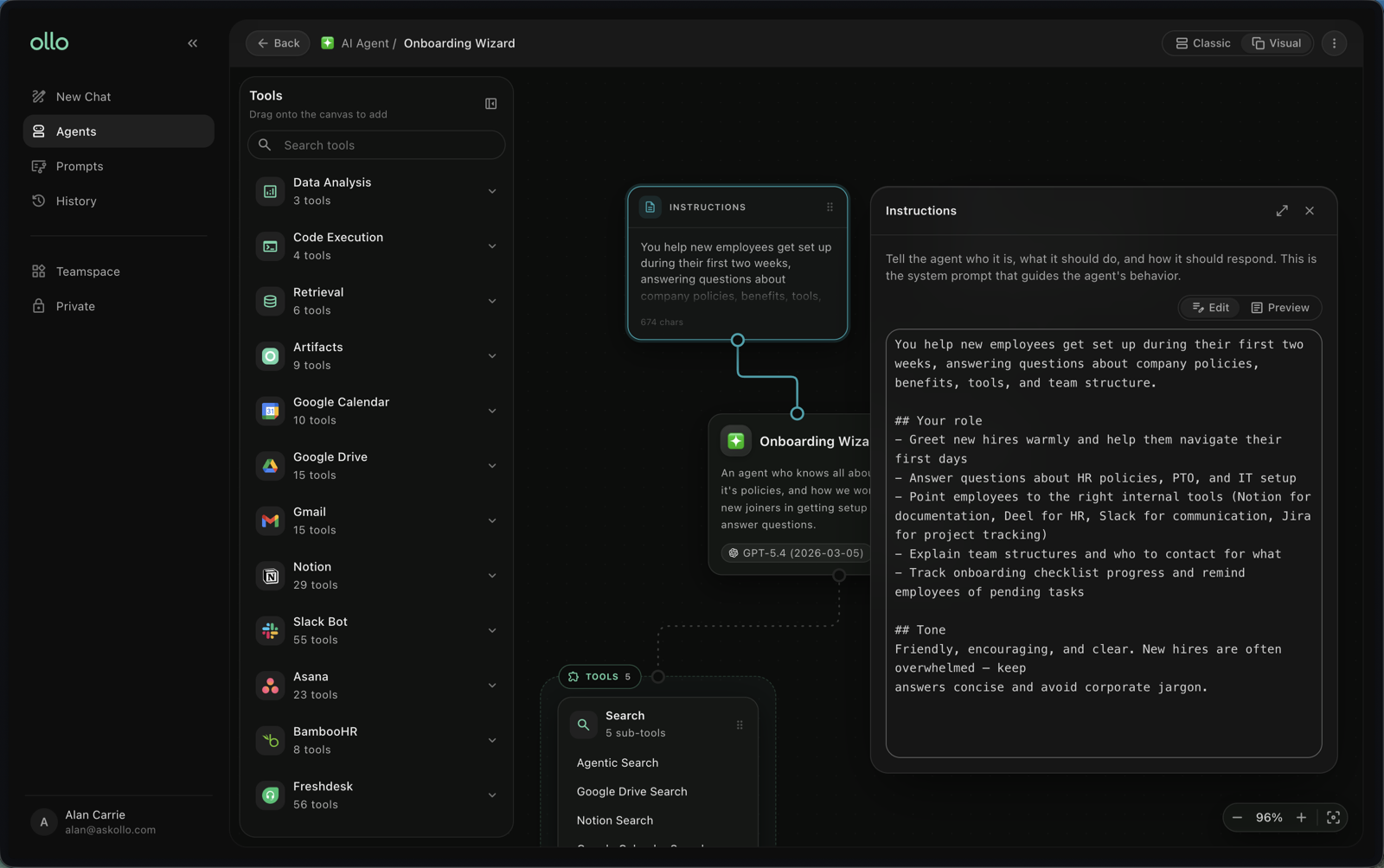
2. Configure its behaviour
Define how the agent should respond, what tone it should use and any instructions it should follow. You may also want to choose a specific LLM model and set its parameters.
This helps ensure consistent and reliable responses.
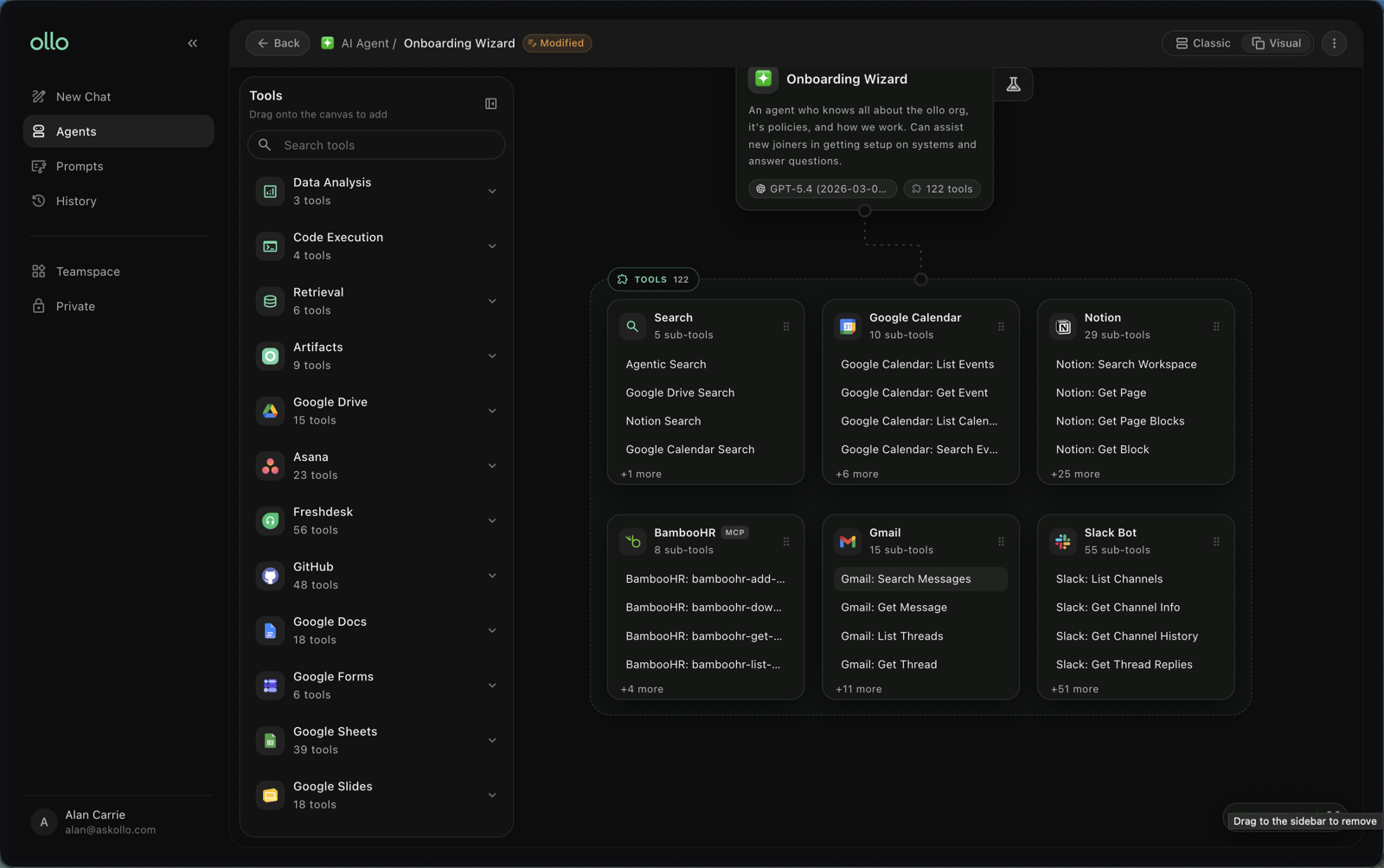
3. Choose tools
In order for your agent to be useful it needs tools. Without tools it can think and respond but nothing else. Tools are also how your agent accesses your knowledge sources and performs actions such as retrieving information, searching the web, checking a calendar or sending an email.
The quality of your agent depends on the tools and knowledge it has access to. Only select tools that will help your agent do the things you want it to do; more is not always better.
Note that tools which read from or write to third-party sources will need to have Connectors created.
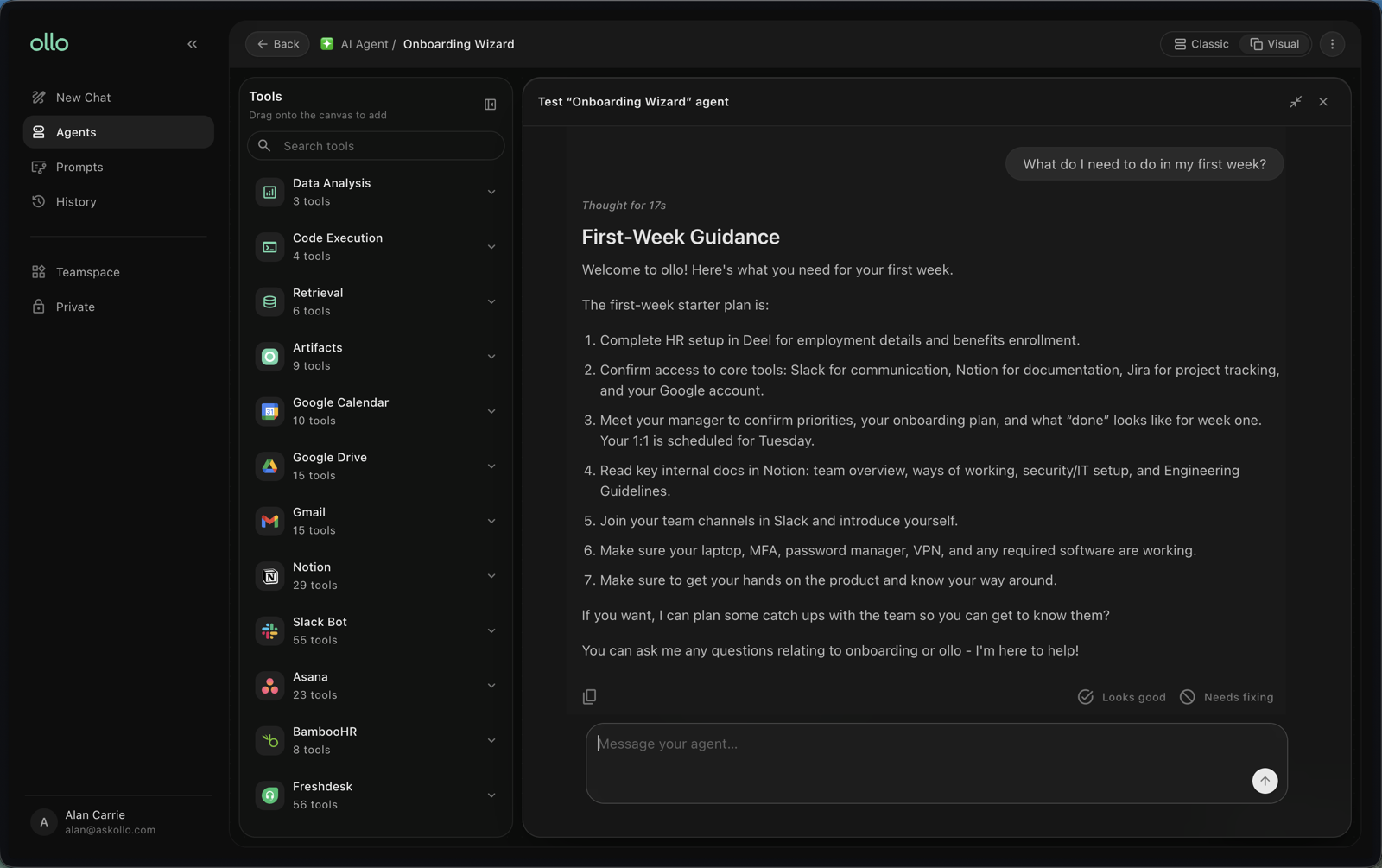
4. Test your agent
To test your agent, either click the test tube icon or switch out of the Visual view and go to the Test tab. Here you can ask questions and review the responses.
Make adjustments until the agent behaves the way you expect.
5. Publish, share and improve
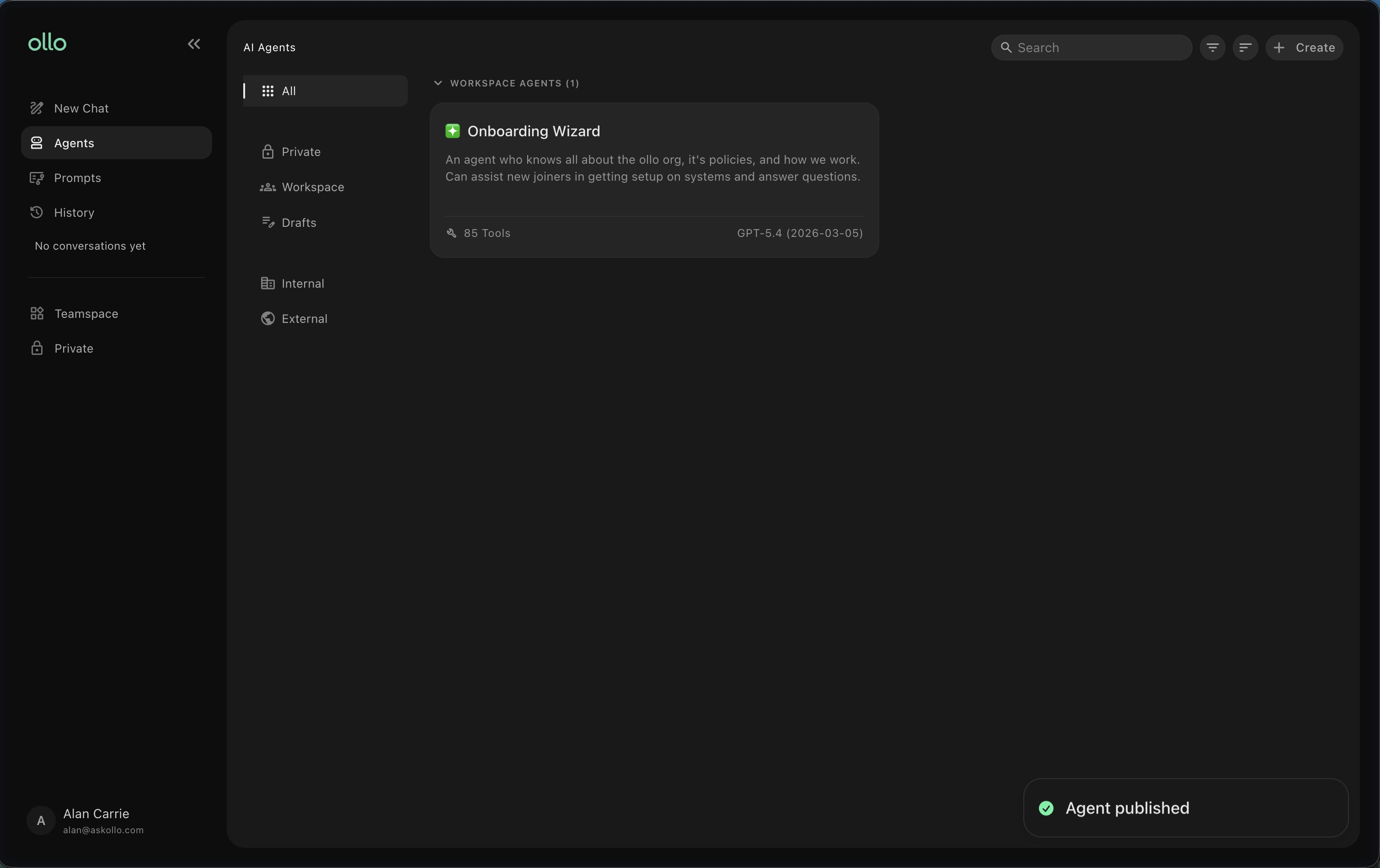
Once you're happy with your agent, you can publish it. If you chose to share it with your workspace it will become visible once published. Others will also be able to edit and continue improving it over time.
AI agents become more valuable as they're refined through testing and feedback.
Why use Agent Builder?
Agent Builder helps you:
Create AI agents without coding
Automate repetitive tasks
Deliver consistent answers
Scale expertise across your organisation
Save time for employees
Make organisational knowledge more accessible
Instead of answering the same questions repeatedly, your AI agents can provide fast, consistent support whenever it's needed.
Best practices
To build effective AI agents:
Start with a clear purpose.
Keep each agent focused on a specific task or audience.
Connect relevant tools to give access to knowledge sources.
Test your agent with real questions.
Refine instructions based on user feedback.
Review and improve your agent regularly.
Frequently asked questions
Do I need technical experience?
No. Agent Builder is designed so that anyone can create AI agents without writing code.
Can I create more than one agent?
Yes. You can create multiple agents for different teams, departments or business processes.
Can I edit an agent after it's been created?
Yes. Agents can be updated, tested and improved at any time.
Can I share my agent with colleagues?
Yes. Once your agent is ready, you can share it with others based on your organisation's permissions.
Next steps
Now that you understand what Agent Builder is, you're ready to create your first AI agent. Continue to Build your first agent.