Search overview
Demonstrates how you can search in natural language and verify answers with sources.
Search helps you find trusted answers across your organisation's knowledge using natural language.
Instead of manually searching through documents, websites or internal systems, simply ask a question as you would ask a colleague. ollo searches your connected knowledge, generates an answer and provides references to the original sources.
Estimated time: 5-10 minutes
What you'll learn
By the end of this guide you'll understand:
What Search is
How Search works
How to ask effective questions
How to verify answers using sources
When to use Search
Where to go next
What is Search?
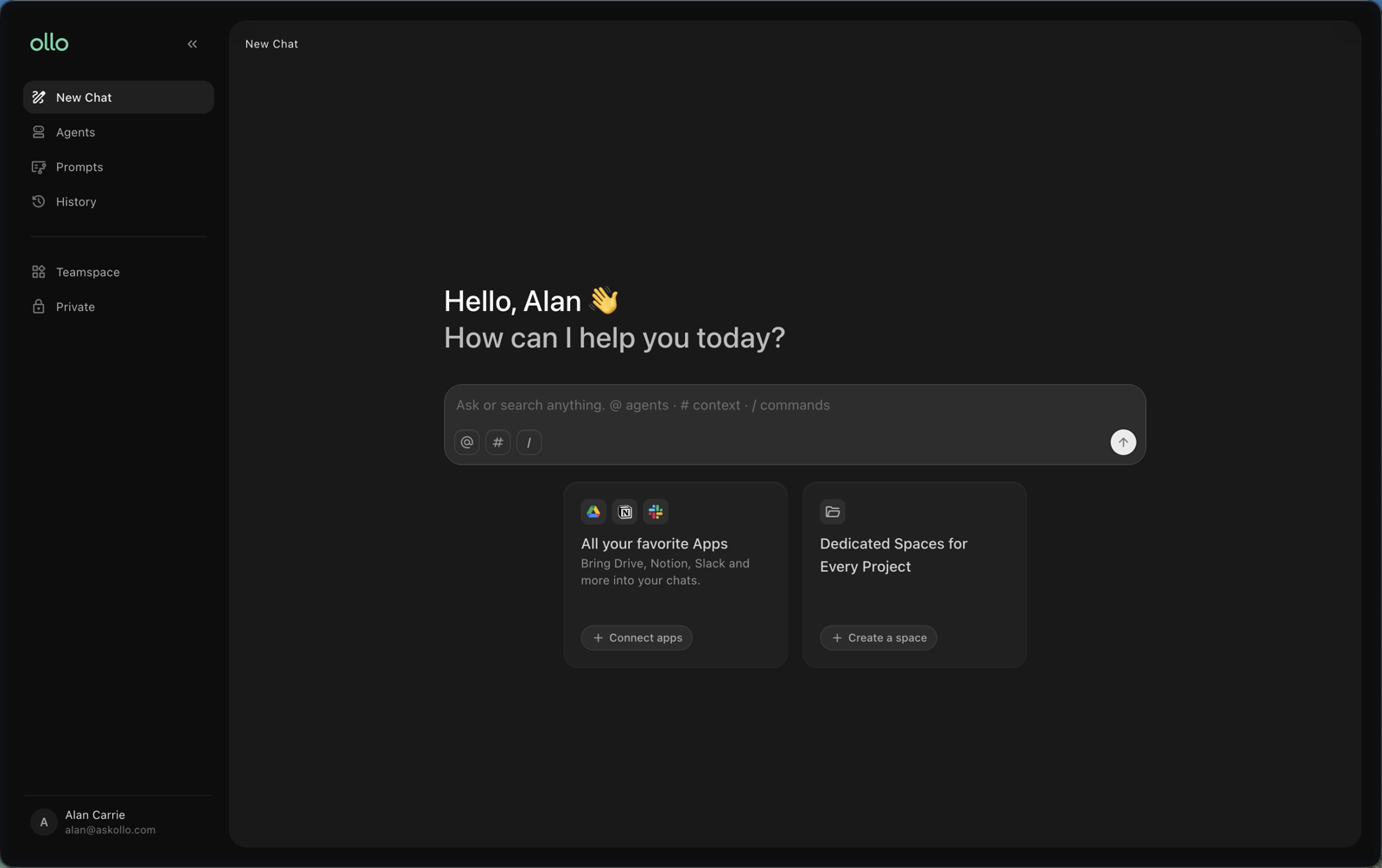
Search is ollo's AI-powered knowledge search experience.
It allows you to ask questions in natural language and receive answers based on your organisation's connected knowledge.
Rather than searching individual systems one at a time, Search brings together information from across your organisation into a single experience.
Who is Search for?
Search is designed for anyone who needs quick access to trusted information.
Typical users include:
Employees looking for policies or procedures
Managers searching for business information
Customer-facing teams needing accurate answers
New starters learning about the organisation
Anyone who spends time searching for internal knowledge
No technical knowledge is required.
How Search works
Search is designed to be simple.
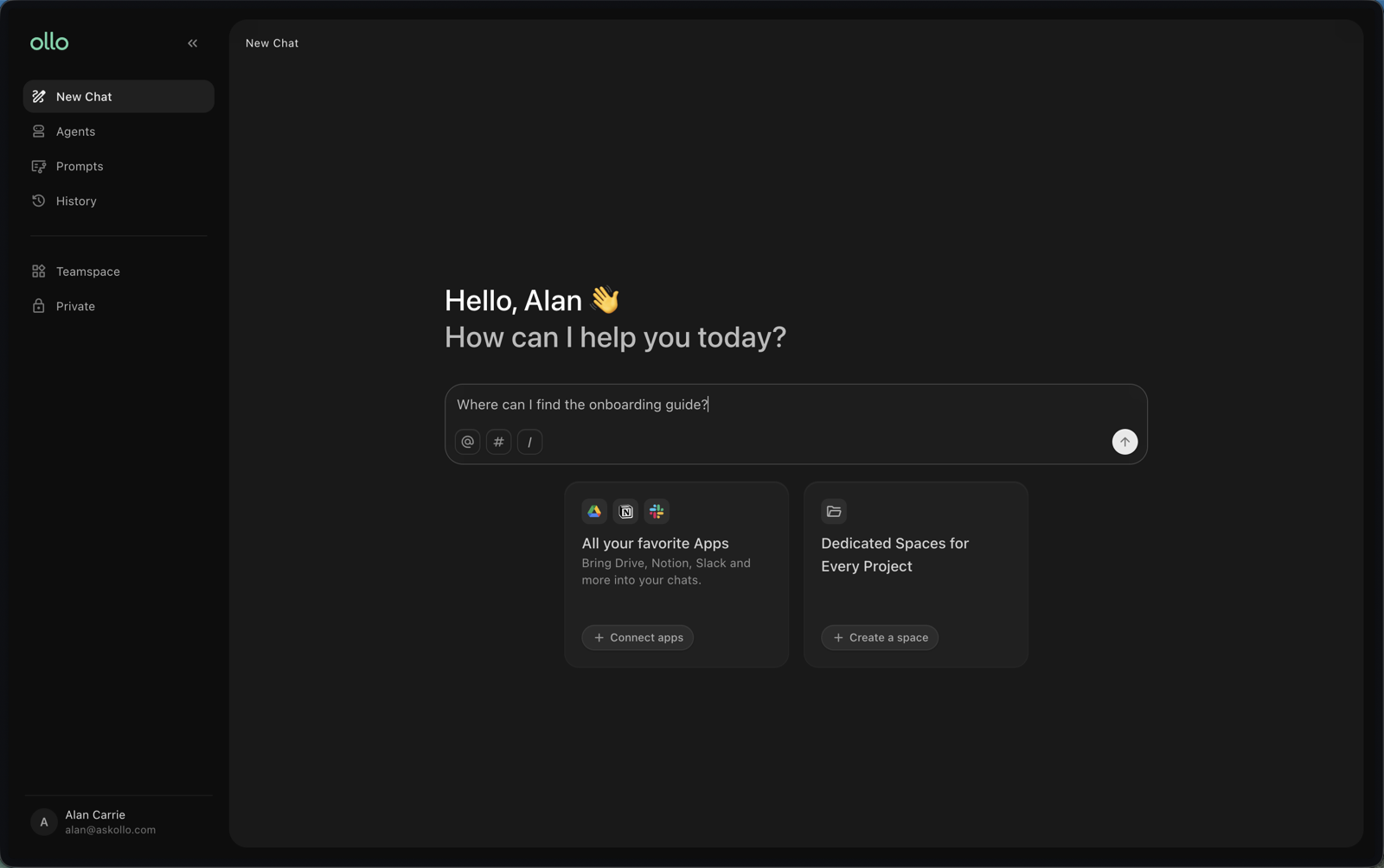
1. Ask a question
Type your question into the search bar using natural language. For example:
What is our annual leave policy?
How do I submit expenses?
Where can I find the onboarding guide?
What is our procurement process?
There's no need to use keywords or special search operators.
2. Review the answer
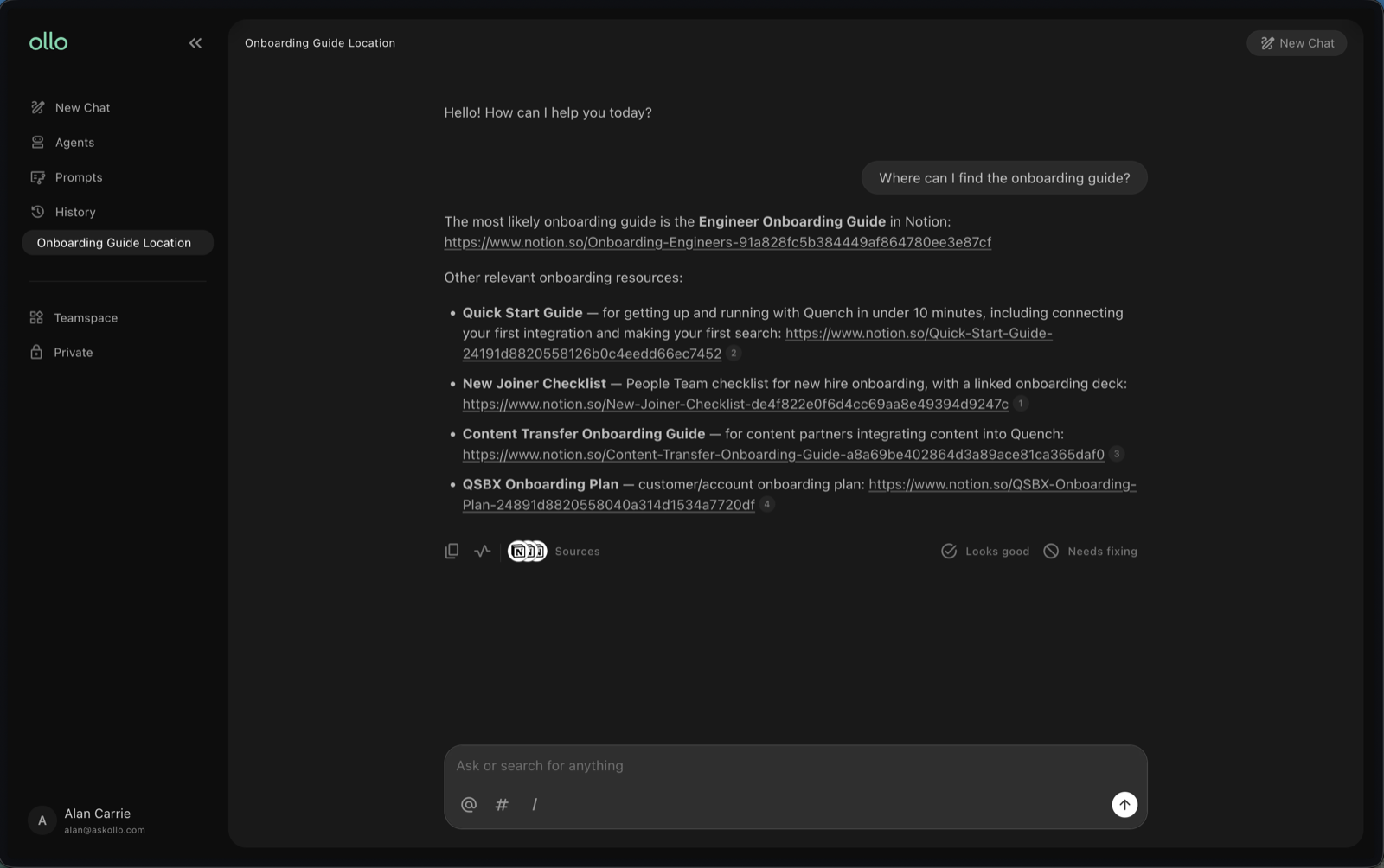
Search analyses your connected knowledge and generates a clear response based on the available information.
Rather than presenting a list of documents, ollo provides a direct answer to your question.
3. Verify the sources
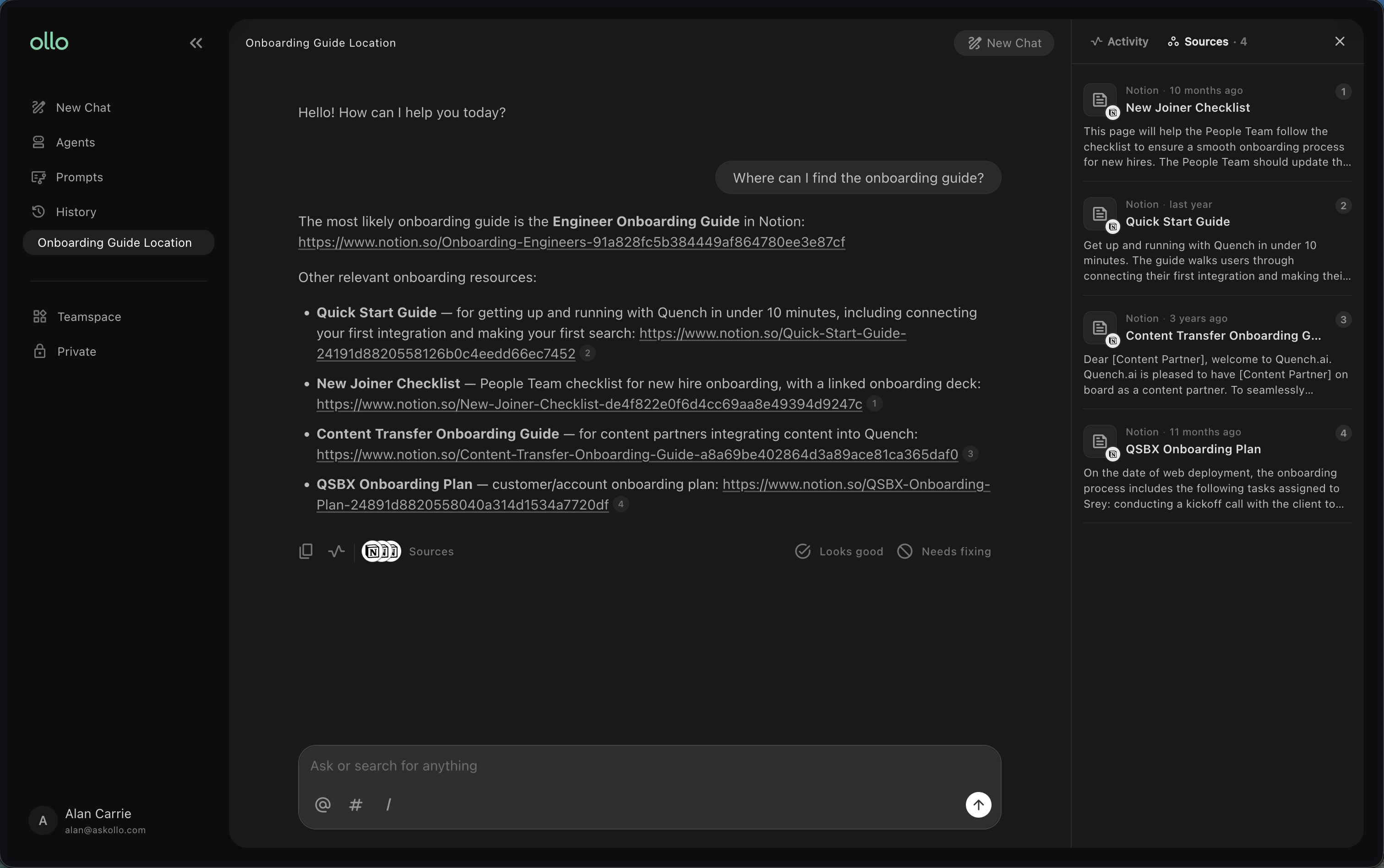
Every answer should be backed by references to the original documents or knowledge sources used to generate it.
Selecting a source allows you to review the original content and verify the information for yourself. This helps build trust and confidence in the answers you receive.
What can you search?
Once your knowledge sources have been connected, you can search across a wide range of information, including:
Policies and procedures
Internal documentation
Employee handbooks
Project documentation
Knowledge bases
Team resources
Connected websites
Other supported data sources
The information available will depend on the knowledge your organisation has connected to ollo.
Tips for getting better results
Search works best when you ask clear, natural questions. Good examples:
How do I request annual leave?
What is our hybrid working policy?
Where can I find the latest sales presentation?
Who approves expense claims?
Instead of searching for keywords, ask complete questions just as you would ask another person.
Why verify sources?
AI-generated answers are most useful when you can see where the information came from.
Reviewing the referenced sources allows you to:
Confirm the accuracy of an answer
Read additional context
Access the original document
Build confidence in the information
Source references are an important part of using Search effectively.
Best practices
To get the most from Search:
Ask complete questions using natural language.
Be specific when describing what you're looking for.
Review the cited sources before acting on important information.
If you don't find what you need, try rephrasing your question.
Ensure your organisation's knowledge sources are up to date.
Frequently asked questions
Do I need to know where a document is stored?
No. Search looks across your connected knowledge sources, so you don't need to know which system contains the information.
Can I search multiple knowledge sources at once?
Yes. Search works across all connected knowledge sources available to you.
Why are sources shown with each answer?
Sources allow you to verify where the information came from and explore the original content if you need more detail.
Can Search answer every question?
Search can only answer questions using the knowledge that has been connected to your organisation's ollo environment.
Next steps
Now that you understand how Search works, it's time to try it yourself. Continue to Ask your first question.