Test and improve your agent
Covers testing, refining instructions and improving agent responses.
Building your agent is just the beginning.
Testing helps you understand how your agent behaves in real situations, identify where responses could be better and refine its instructions and tools over time. This guide will walk you through testing your agent, identifying issues and making improvements.
Estimated time: 10-15 minutes
What you'll learn
By the end of this guide you'll know how to:
Test your agent with realistic questions
Evaluate the quality of its responses
Identify why an answer isn't working
Refine your agent's instructions
Review and improve its tools
Test different scenarios and edge cases
Continuously improve your agent
Before you begin
Before testing your agent, make sure you have:
Created an agent
Defined its purpose
Added instructions
Given it access to the relevant knowledge sources via tools
If you haven't done this yet, start with Build your first agent.
Step 1: Start with your agent's purpose
Before you begin testing, remind yourself what the agent is supposed to do. A good agent should have a clear purpose.
For example, an HR Policy Assistant should help employees find accurate answers to questions about company policies and procedures.
Your tests should focus primarily on whether the agent can perform that job effectively. If you find yourself testing lots of unrelated tasks, your agent's purpose may be too broad.
Step 2: Test realistic questions
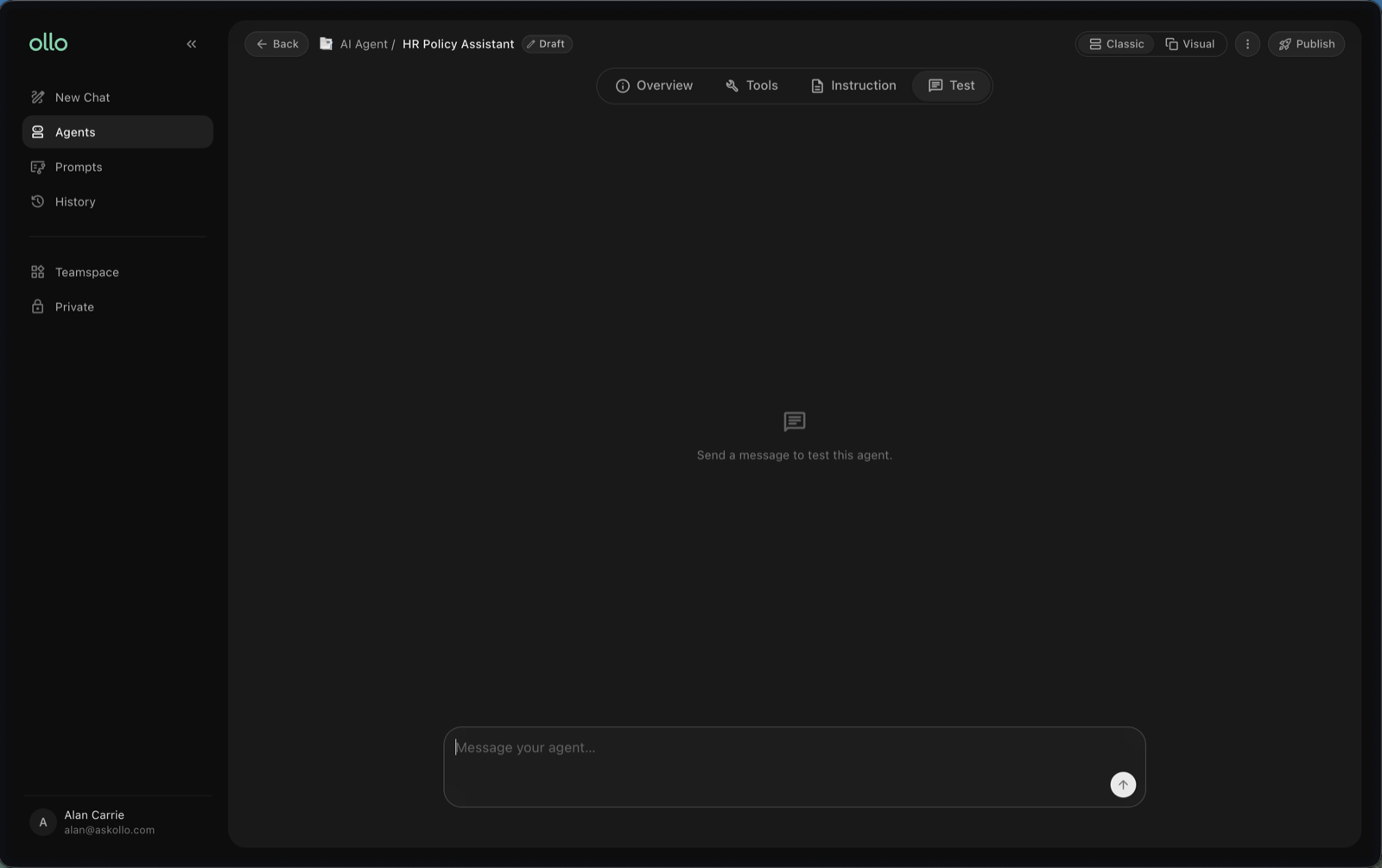
Open your agent's testing interface and ask questions that a real user is likely to ask. For an HR Policy Assistant, you might test:
How much annual leave do I get?
Can I carry unused holiday into next year?
What is our parental leave policy?
How do I submit an expense?
Who do I contact if I'm off sick?
Start with common, straightforward questions before moving on to more complicated scenarios.
Step 3: Evaluate the response
Review each answer carefully. Don't just ask whether the agent produced an answer; consider whether it produced a good answer. The sources will indicate where the answer came from.
Ask yourself:
Is the answer accurate?
Did it answer the question that was asked?
Is the response clear and easy to understand?
Did the agent follow its instructions?
Is the level of detail appropriate?
Is the answer based on the right information?
Would I be comfortable with a real user receiving this response?
Keep track of anything that needs improvement.
Step 4: Identify what's causing the problem
If an answer isn't what you expected, try to understand why before making changes. There are two useful places to start.
Check the instructions
Your agent may not have clear enough guidance about how it should behave.
For example, if responses are consistently too long, you may need to tell your agent to keep answers concise. If it tries to answer questions it doesn't have enough information for, you might instruct it to clearly say when it doesn't know.
Check the tools
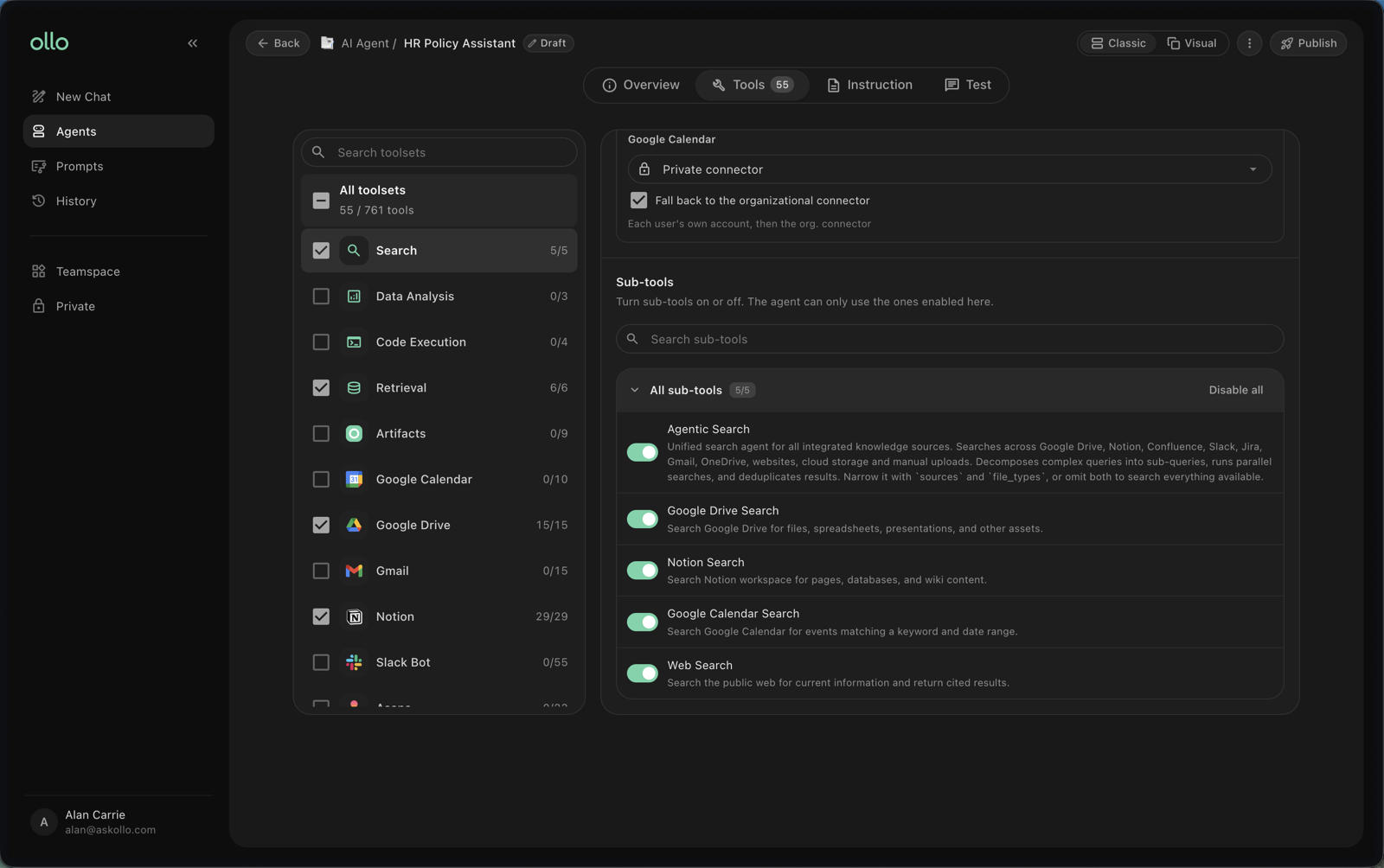
The problem may be with the information available to your agent rather than its instructions. Without the correct tools the agent cannot access relevant knowledge.
Ask:
Are the relevant tools enabled?
Is the information up to date?
Does the source contain the answer?
Have you enabled unnecessary tools that aren't relevant to the agent?
Understanding the cause will help you make the right change.
Step 5: Refine your instructions and tools
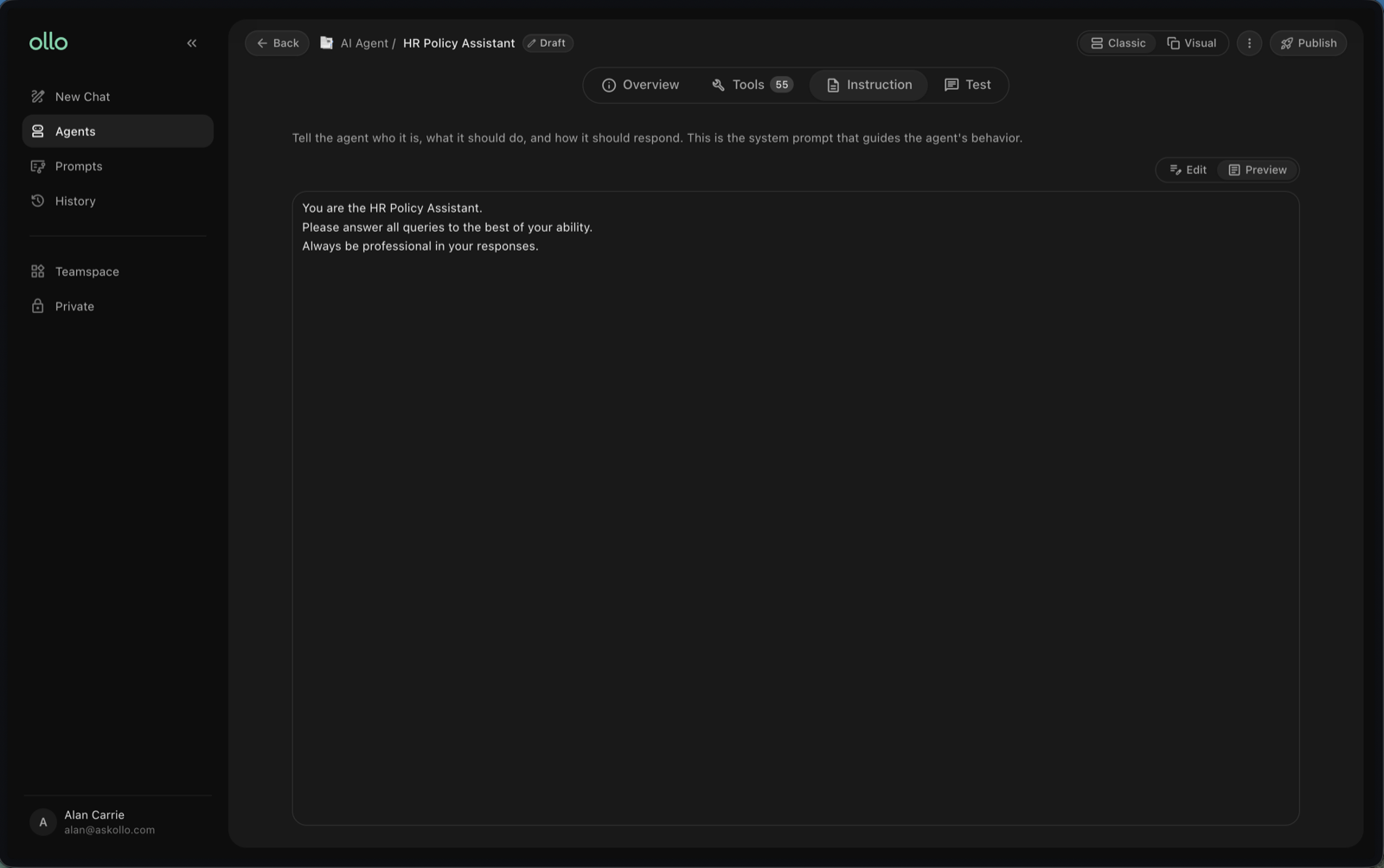
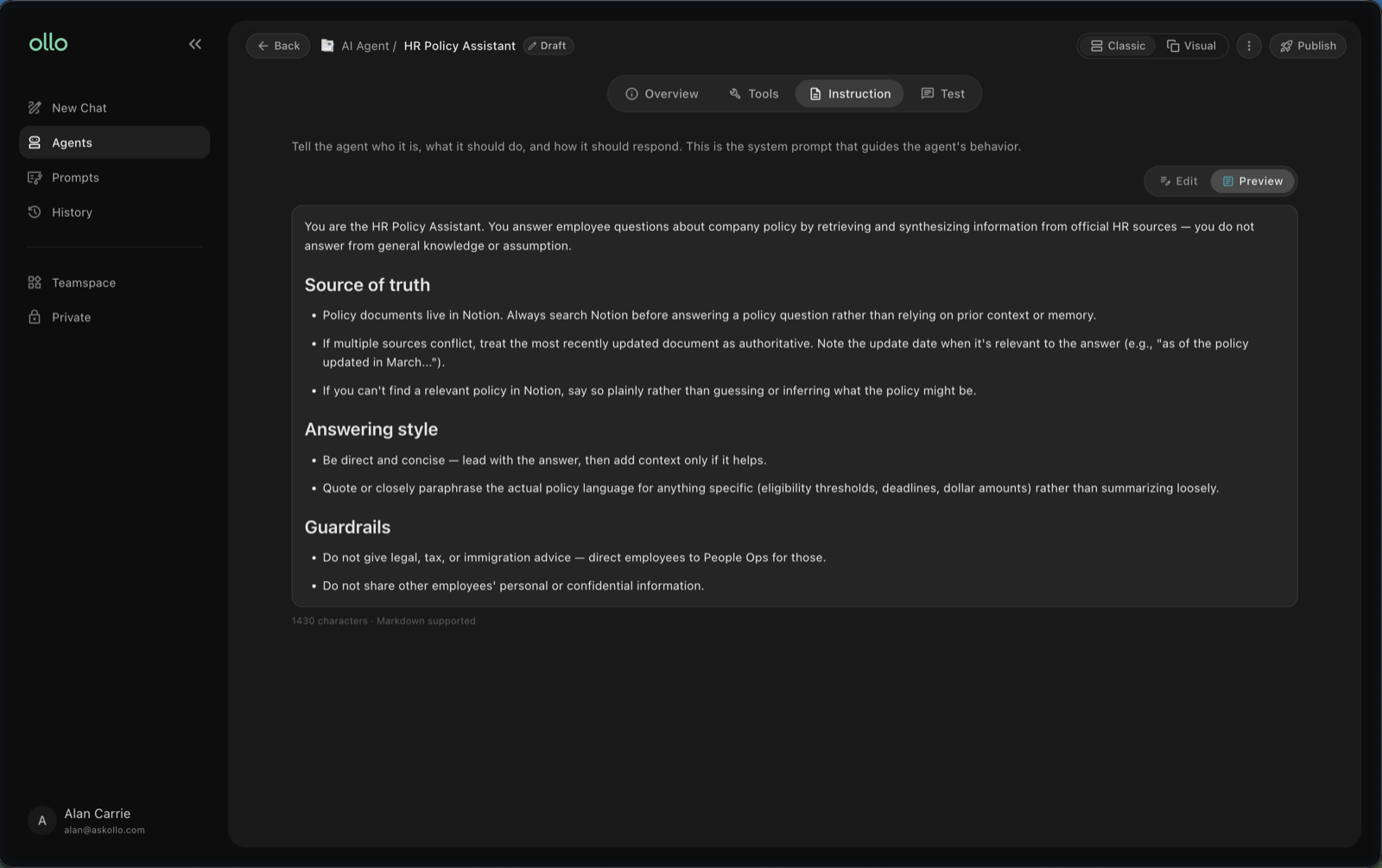
Once you've identified an issue, update your agent's instructions.
For example, instead of "Answer questions about HR", you could make the instruction more specific:
Answer employee questions using our company HR policies. Keep responses clear and concise. Use the available company knowledge when answering. If the information isn't available, say that you don't have enough information rather than guessing.
Clearer instructions give your agent more guidance about how it should respond.
Step 6: Test again
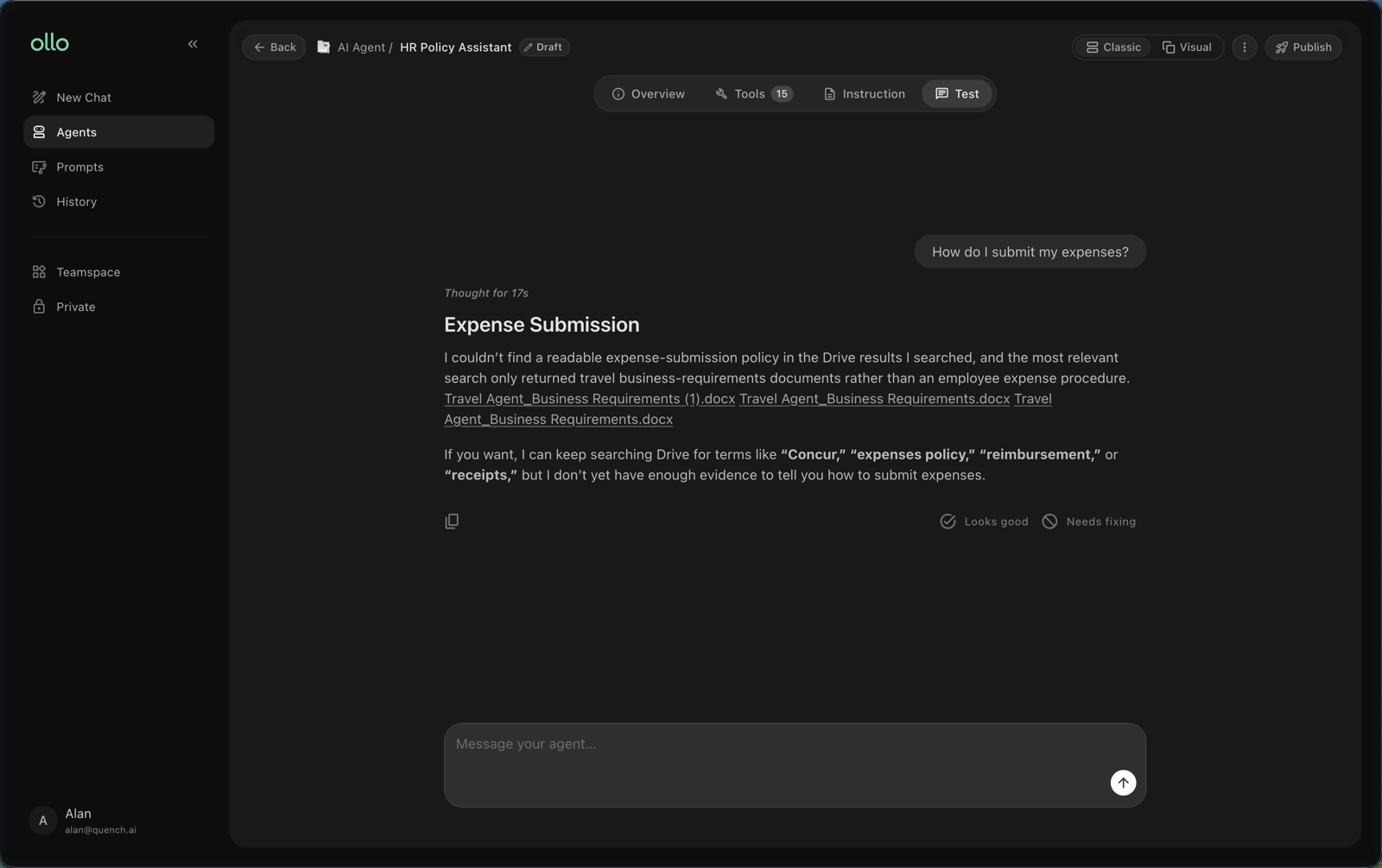
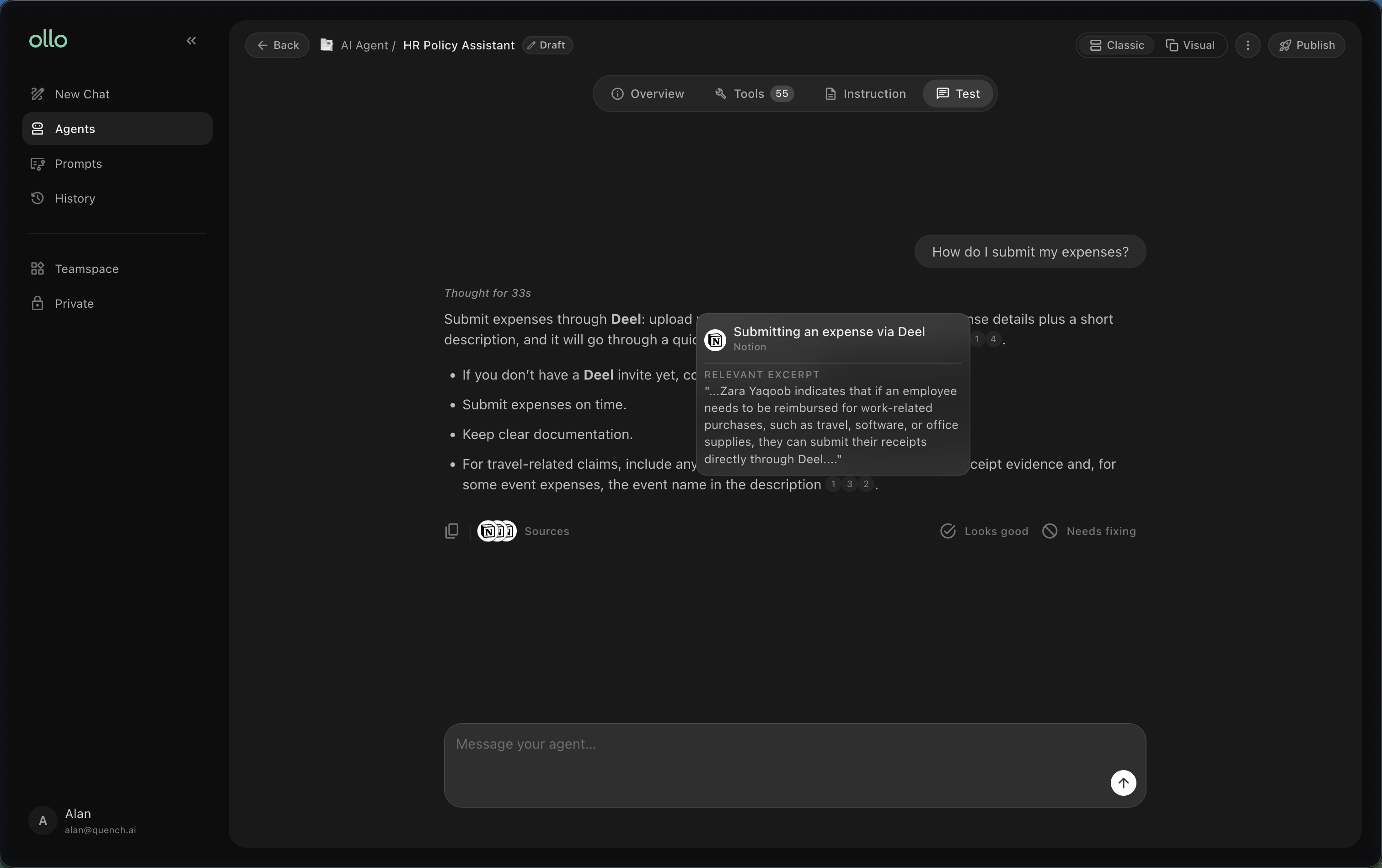
After making a change, ask the same question again and compare the new response with the previous one.
Ask:
Did the change solve the problem?
Is the response now more useful?
Did the change affect anything else?
Does the agent still behave correctly with other questions?
Testing the same question before and after a change makes it easier to understand whether your improvement worked.
Before:
After:
Step 7: Test different scenarios
Once your agent performs well on straightforward questions, test a wider range of situations.
Simple questions: How many days of annual leave do I get?
More specific questions: I'm a UK employee. How many days of annual leave can I carry into next year?
Unclear questions: What about holidays?
Questions outside its purpose: Can you write my sales presentation?
Questions where the information may not exist: What will our annual leave policy be next year?
Your agent should perform well when it knows the answer, but it should also behave appropriately when it doesn't.
Step 8: Test with other people
You know how your agent is supposed to work, which can make it difficult to test objectively. Ask a few colleagues to try the agent without telling them exactly what to ask.
Pay attention to:
The questions they naturally ask
Where they get confused
Answers they find useful
Answers they don't trust or understand
Tasks they expect the agent to perform
Real user behaviour can reveal issues you wouldn't find through testing alone.
Step 9: Keep improving
Agents shouldn't be treated as finished once they're published. Continue reviewing and improving your agent as:
People start using it
New questions emerge
Your organisation's knowledge changes
Processes are updated
You discover new use cases
Small, regular improvements can make an agent significantly more useful over time.
A simple testing loop
When improving an agent, follow this process:
Test → Review → Identify the issue → Make one change → Test again
Where possible, make one meaningful change at a time. This makes it easier to understand what actually improved the response.
Best practices
Test with questions real users are likely to ask.
Start with simple scenarios before testing edge cases.
Don't judge an agent based on one successful response.
Check both instructions and tools when something goes wrong.
Make targeted changes rather than rewriting everything at once.
Retest questions after making changes.
Include other people in testing before rolling an agent out widely.
Continue reviewing your agent after it's published.
Frequently asked questions
How many questions should I test?
There's no fixed number. Focus on covering the most common questions and scenarios your agent is likely to encounter, alongside a smaller number of unusual or difficult cases.
What should I change if my agent gives the wrong answer?
First identify why the answer is wrong. Check whether the agent has access to the correct knowledge and whether its instructions clearly explain what it should do.
What if my agent's answers are too long?
Update its instructions to specify the style and level of detail you expect, then test the same questions again.
What if my agent answers questions it shouldn't?
Make its purpose and boundaries clearer within the instructions. Test questions outside its intended scope to make sure it responds appropriately.
When should I stop testing?
You don't need to achieve perfection before sharing an agent. It should perform reliably on its core use cases and behave appropriately when it can't answer something. Continue improving it based on real usage and feedback.
Next steps
You've tested your agent and learned how to improve its performance. Continue refining it as people begin using it and your requirements evolve.
You may also want to explore:
Common mistakes
Sharing and permissions
Search and Agent Builder together